NDE Imaging Software
Dedicated Support for Materials Science Research
The Verasonics NDE Imaging Software includes a GUI designed for advanced, high-speed, and custom array imaging and is tailored to support research and development in Materials Science. This user-friendly software package is designed to complement Verasonics’ robust programming model, providing advanced real-time imaging and convenient data acquisition without the need for programming by the user.
Many convenient tools are provided, including a signal viewer for real-time plotting of RF data signals and power spectra. In addition, a sensitivity mapping tool provides spatial sensitivity maps for the modes in each display window, computed for both point-like and planar reflector defect types. A range of image measurement and annotation tools is also included.
Imaging Capabilities
The core functionalities of the NDE Imaging Software are Full Matrix Capture (FMC), Total Focusing Method (TFM), and Plane Wave multi-mode imaging.
Multiple simultaneous image displays can be created, each containing any arbitrary combination of imaging modes. Native imaging modes include all mode conversion permutations of direct, half-skip, and full-skip TFM. Imaging is supported for one or two array configurations, with arrays either in direct contact or through a standoff medium (e.g., a wedge or immersion) for planar or curved surface geometry. Acquisition features include FMC, Half Matrix Capture (HMC), and Hadamard encoding. Multiple simultaneous image displays can be created, each of which can contain any arbitrary combination of imaging modes.
Custom Imaging Offers:
Real-time, quantitative comparison with established techniques, allowing users to benefit from complementary attributes of both.
Rapid prototyping of new applications and the easy delivery of research and development outputs, within or between organizations, with the convenience and utility of an advanced imaging software package.
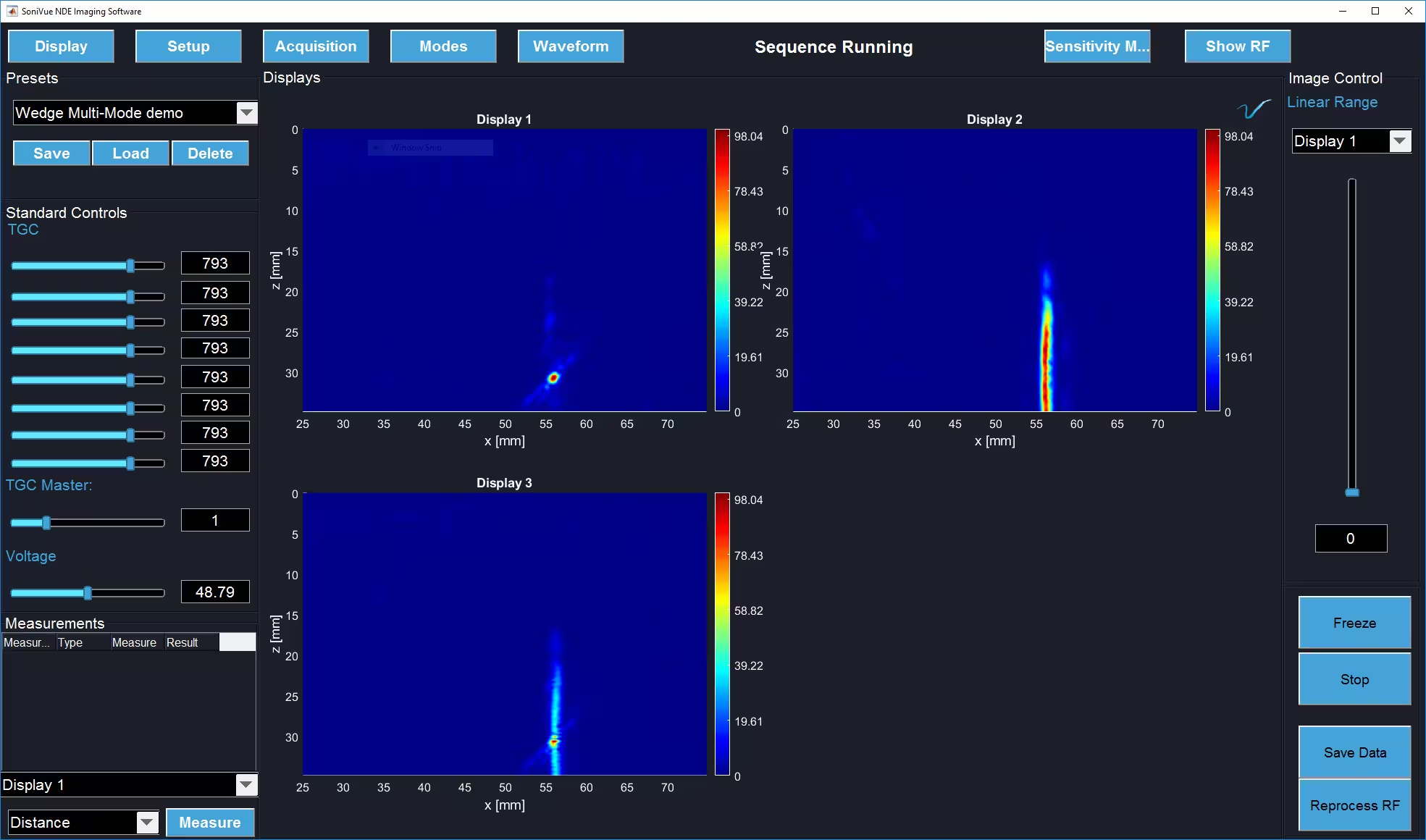
Multi-mode imaging of a fatigue crack. Direct + half-skip TFM.
Custom Look-Up Table Modes and the Verasonics Image Reconstruction Option
One type of custom mode makes use of Verasonics’ Image Reconstruction option for custom applications of TFM and Plane Wave, such as non-standard geometry, or material properties, such as inhomogeneity or anisotropy.
Verasonics’ Image Reconstruction is a fast, proprietary implementation of delay-and-sum post-processed beamforming.
In the context of generalized TFM, the option uses look-up tables of phase delays and amplitude weightings to apply post-processed focusing and generate an image. The user can provide a function to compute look-up tables for their custom application conditionally on user settings, allowing users to leverage the speed and accuracy of the Image Reconstruction Option’s capabilities for their custom application.
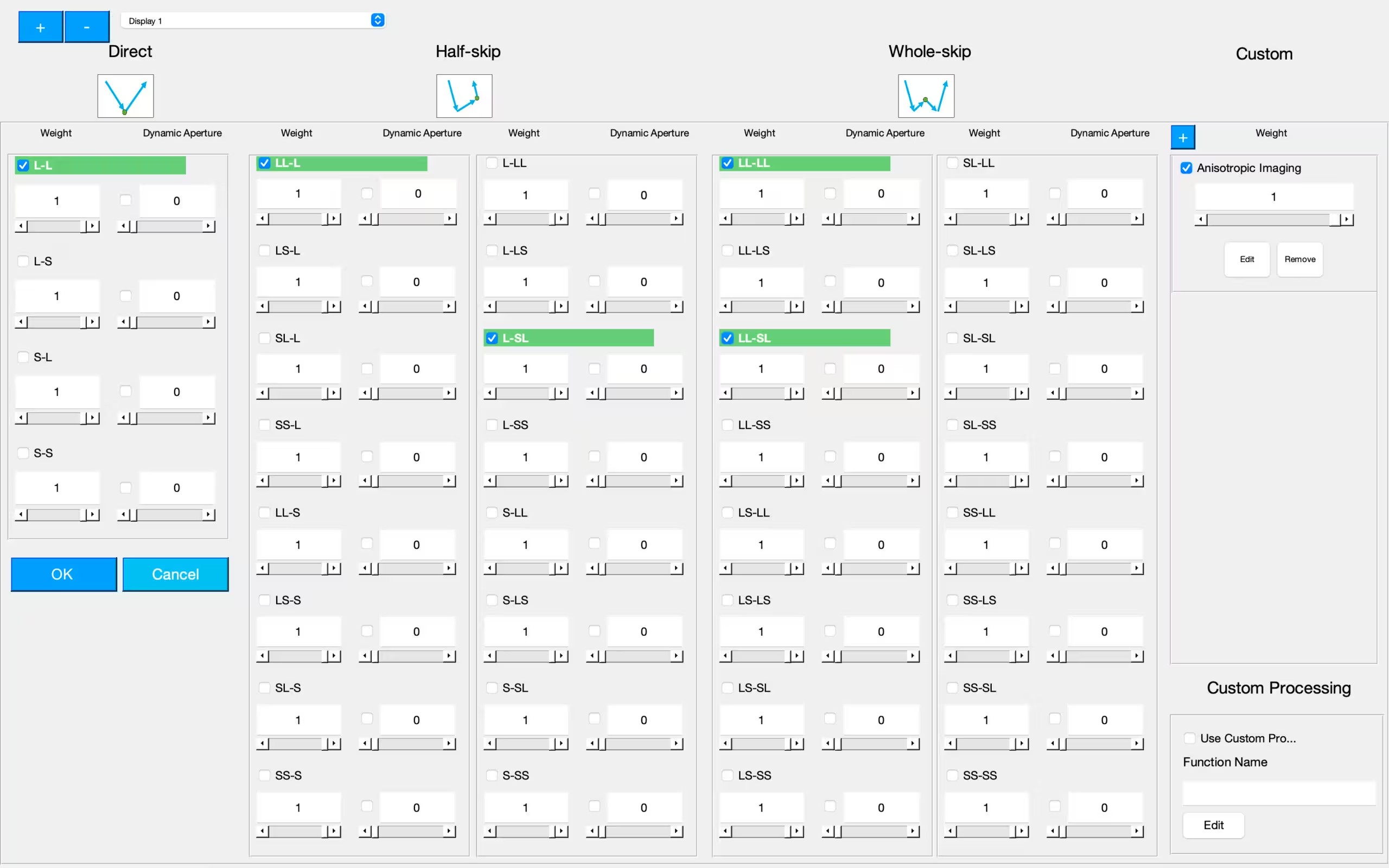
Mode Selection Window: select any combination of direct, half-skip, full-skip and custom modes.
Custom Processing Modes
Alternatively, custom modes can replace the Image Reconstruction Option, processing the raw RF signal data with any custom method. In the example shown, the left display is using direct mode TFM as a native imaging mode and the right display is using DORT (Decomposition of the Time-Reversal Operator), implemented through a custom processing mode.
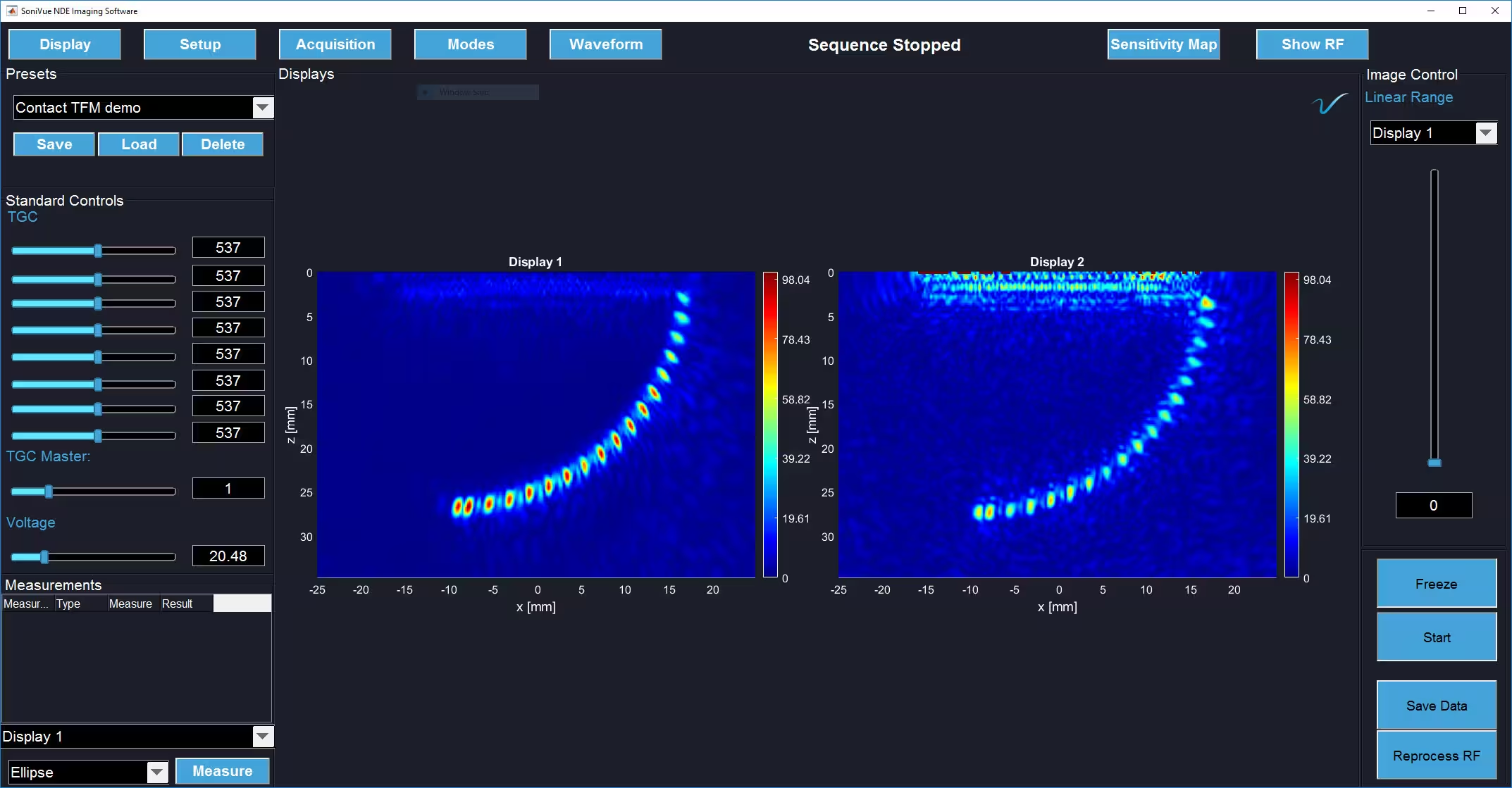
Custom processed imaging in NDE Imaging Software: Native direct TFM and custom processing through DORT